Point. Drop. Train.
Use your website URL or drag and drop your business documents. Review the knowledge Aiva™ uses for service details, policies and repeat questions.
Aiva EngaigeMate™ CommsBot™ speaks almost any language your customer does. Give Aiva™ your website or documents for a business-trained AI front desk that can answer, guide and hand over.
Explore the AI tools with a free, non-paid trial. Sign up to see the current trial options.
Use your website URL or drag and drop your business documents. Review the knowledge Aiva™ uses for service details, policies and repeat questions.
Page context, guest history, language-aware replies and cooperating models help Aiva™ make the conversation relevant to your business.
Use directives, situational playbooks, links and redirect buttons. Combine with FliPath™, ticket workflows and configured handoffs to get work moving.
Aiva EngaigeMate™ CommsBot™ speaks almost any language your customer does. Automatic language detection helps Aiva™ answer in the customer’s language, using your business knowledge and the context of the conversation.
From the first website question to a phone inquiry, help more customers explain what they need and reach the next step.

Your knowledge.
A welcome they understand.
Real product screens, with examples of how the tools fit your work. Select a screen to explore it at full size.
 View full size
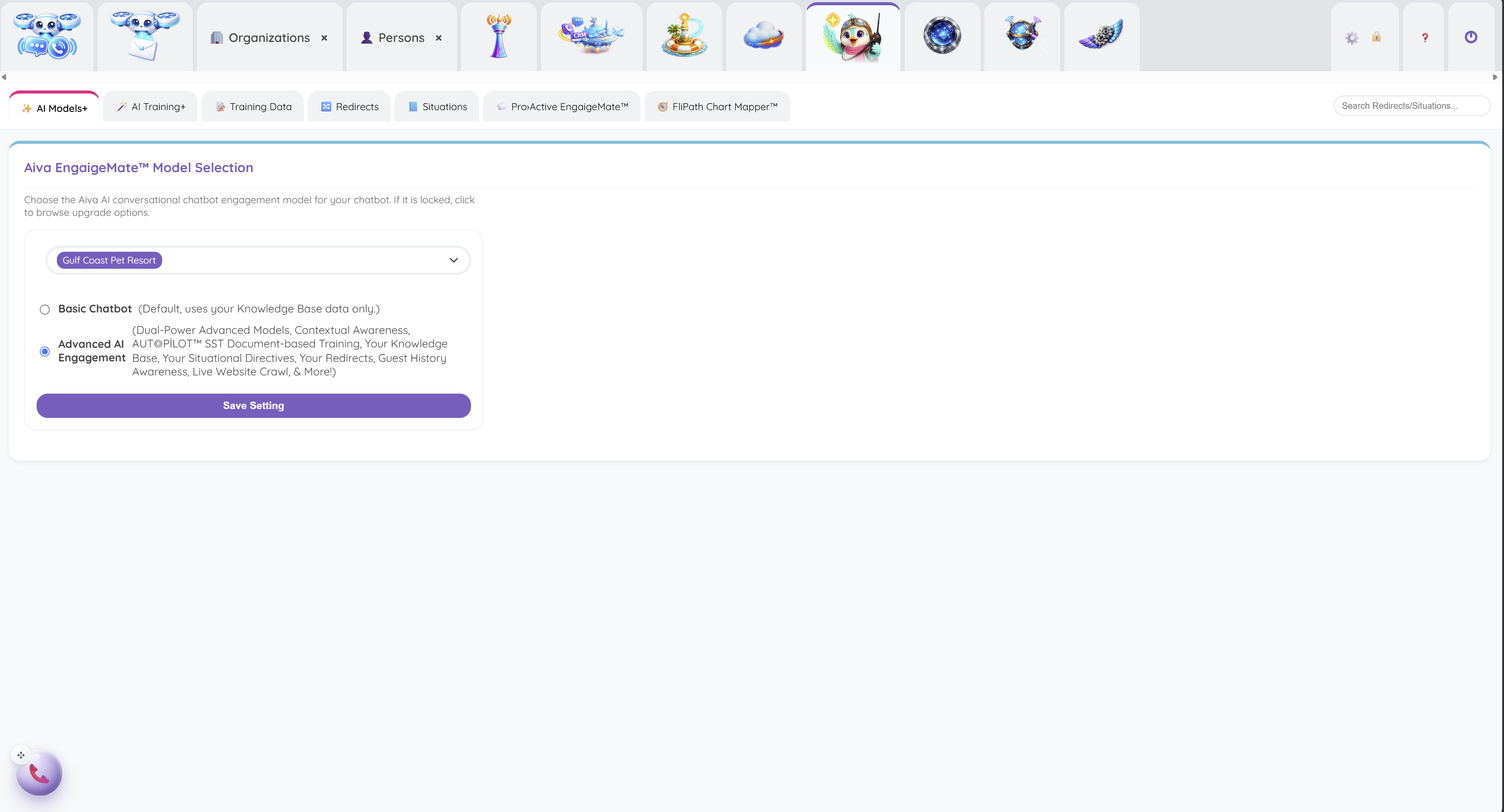
Choose the business-specific chatbot model and see where Advanced AI™ adds context, training and engagement tools.
 View full size
Start from a webpage, PDF or text document, then review the knowledge prepared for your AI front desk.
 View full size
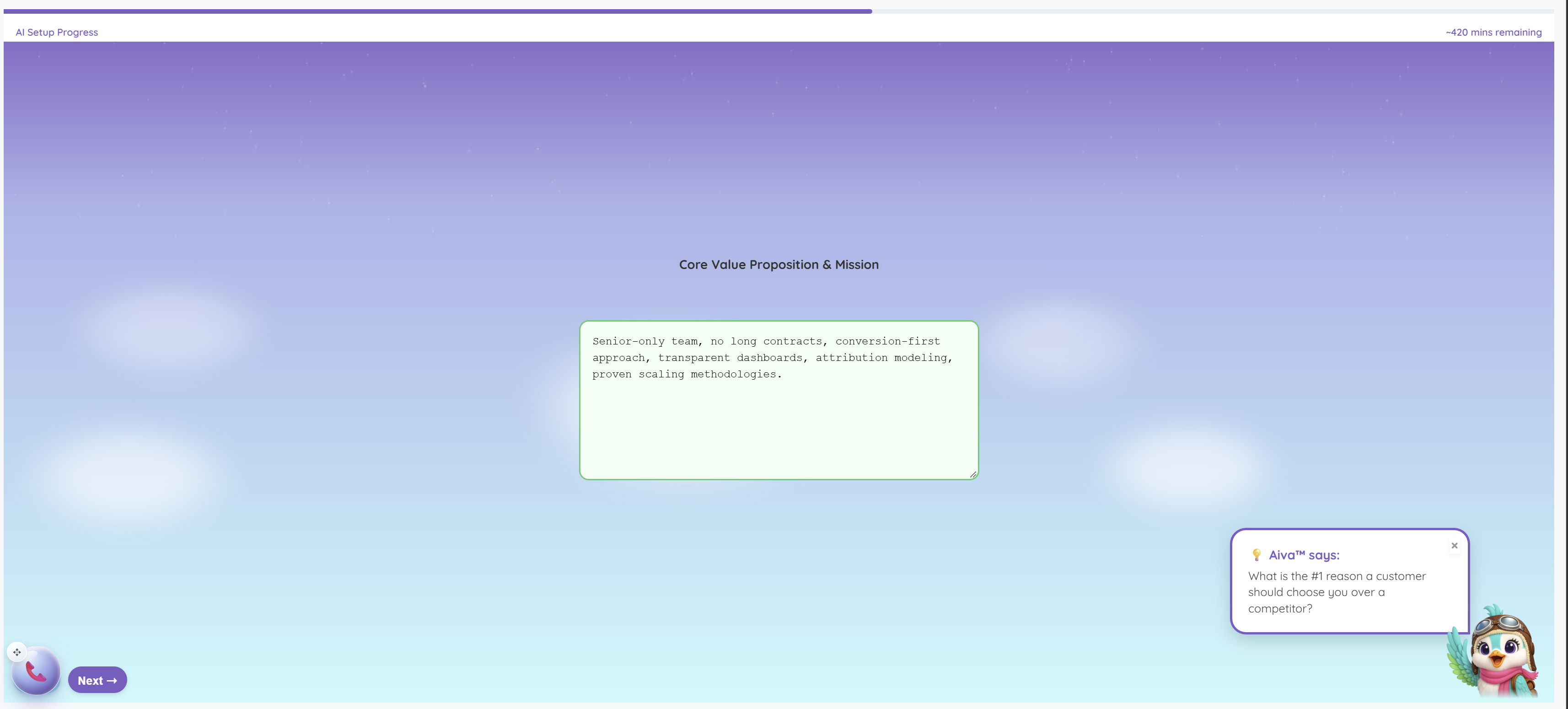
Work through guided questions about the business, with Aiva™ offering prompts to help explain what makes it different.
 View full size
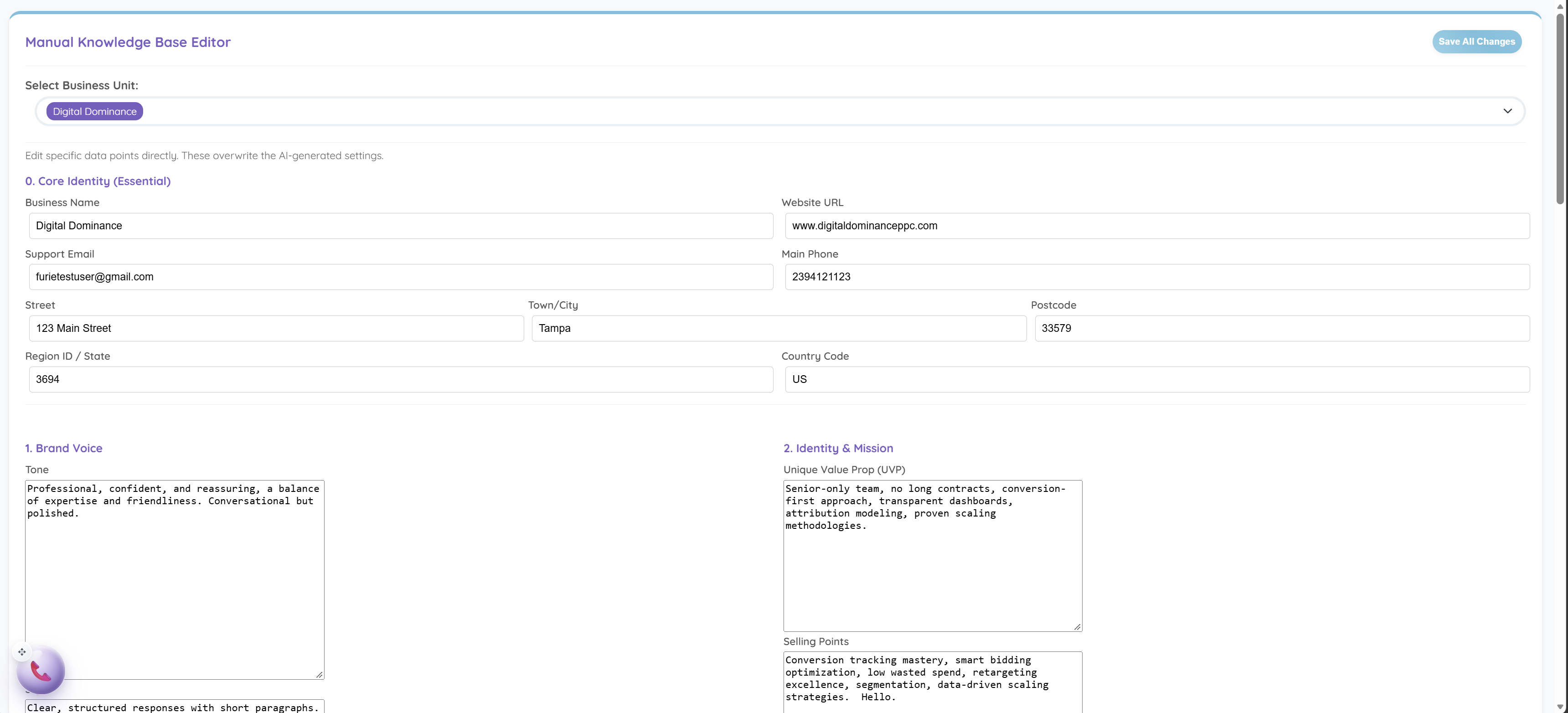
Review and refine the business identity, brand voice, services and knowledge used in customer answers.
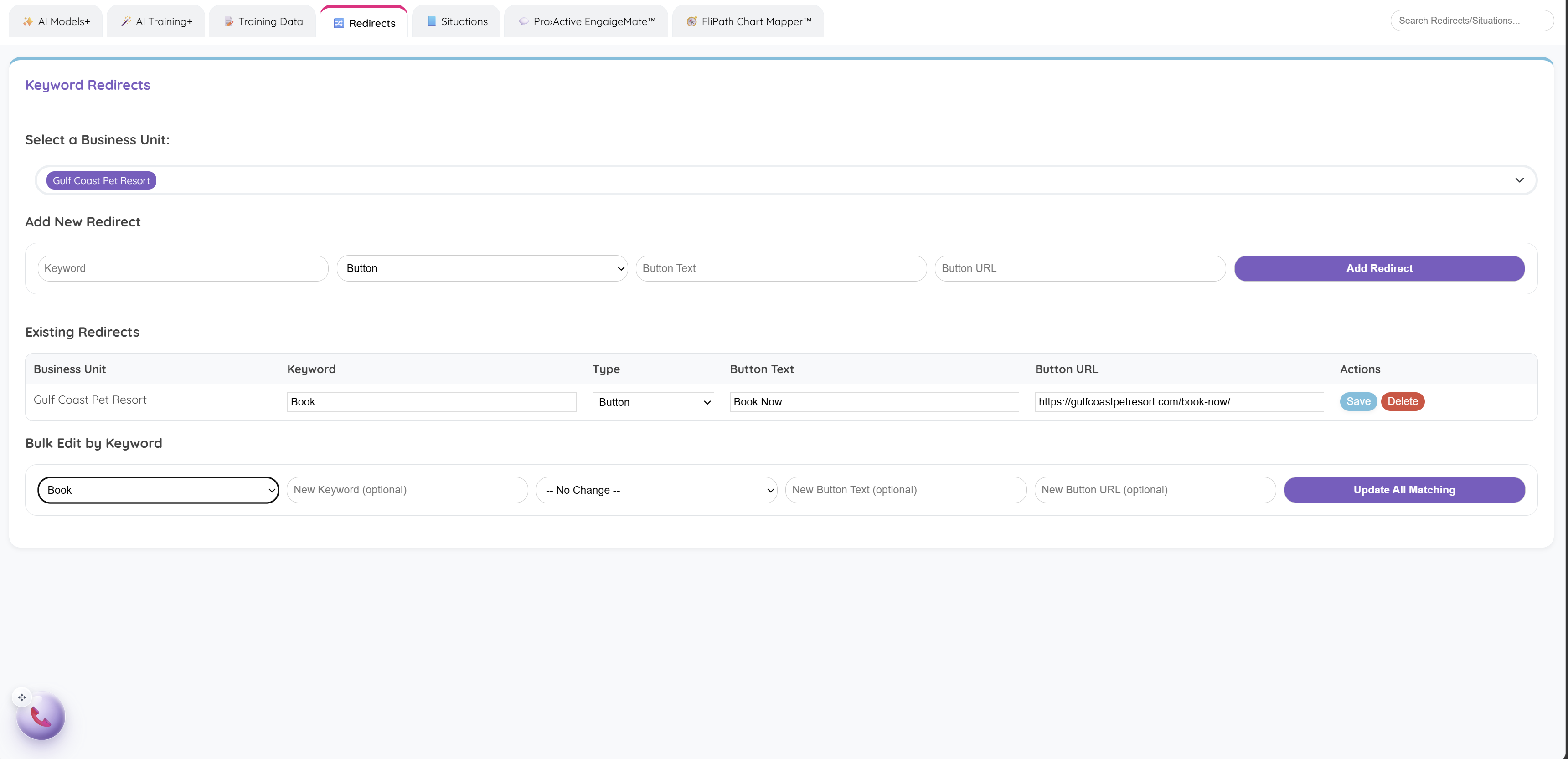 View full size
Connect a booking question to a Book Now button that leads to the destination you choose.
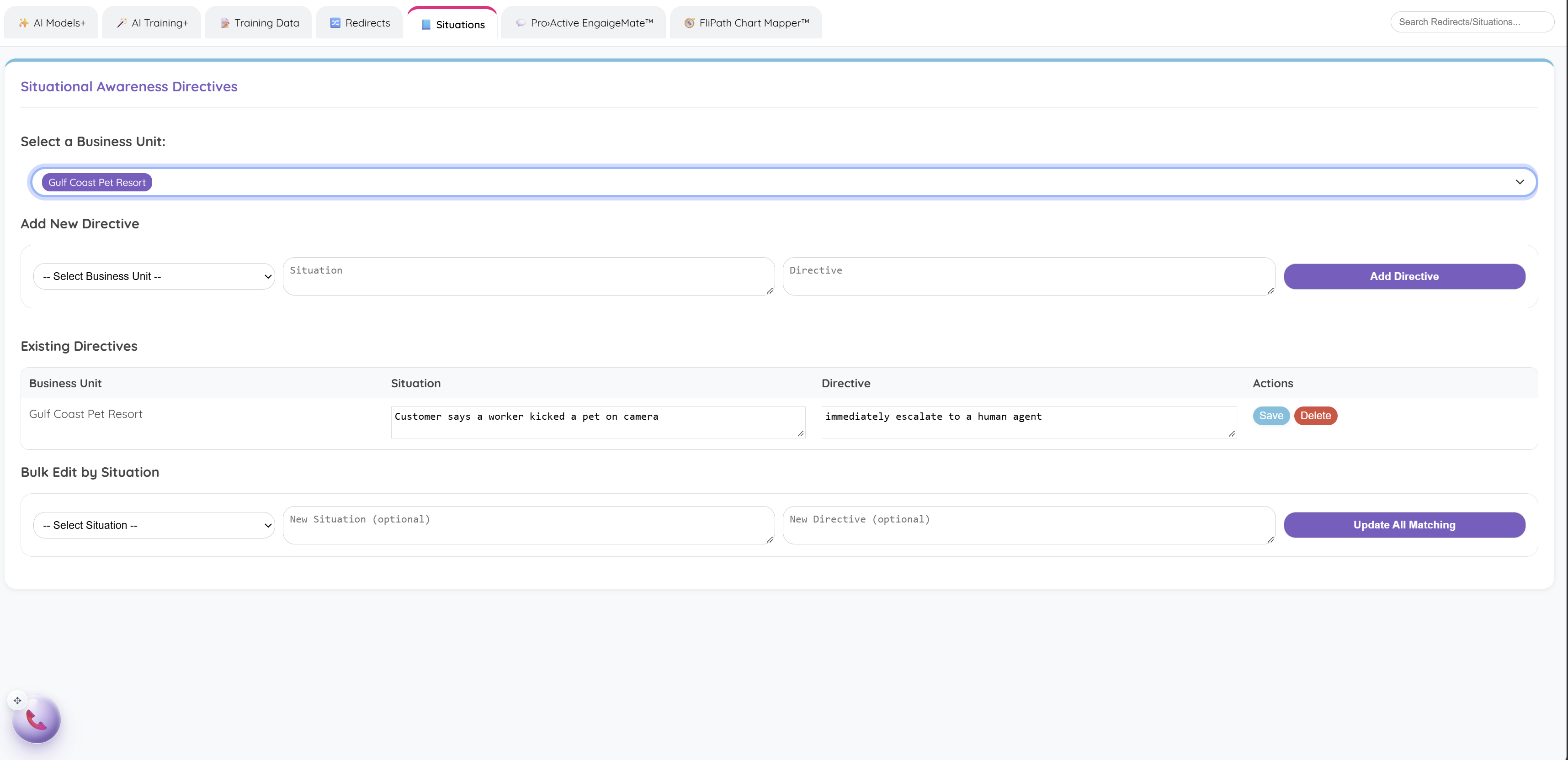 View full size
Tell Aiva™ which sensitive situations should reach a person, using business-specific escalation directives.
Give them a useful first answer. Give yourself a clearer next step.