Your business is ready.
Let’s get its front desk ready.
A short path from business information to a tested customer journey. Generate a starting flow quickly, then make it yours.
- Point Aiva™ to your website. Drop in your documents.
With Advanced AI™, start by pointing Aiva™ to your website or dragging and dropping your documents. Aiva™ learns your services, coverage, hours and policies so you can spend less time entering information.
- Give routine questions a useful answer.
Build your knowledge base and review the questions customers ask most. Define the limits of automated answers and which decisions belong to your team.
- Create your contact-center flow with one click.
One click in FliPath™ generates your contact-center IVR and AI agent flow, bringing together automated routing, answers, ticket creation, escalation and more. No-code API task generation opens up more ways to get work done. Review the generated flow, connect authorized accounts and activate it.
- Connect your channels.
Install your website widget. Choose a new phone number or connect your own compatible number, configure routing and complete channel-specific registrations. Connect email forwarding and outgoing replies.
- Choose the people behind the handoff.
Set agent access, queues, skills, availability and admin ownership. Make sure an urgent request has a real person and a defined response process behind it.
- Test hello to follow-through.
Try a routine question, new quote, incomplete intake, urgent escalation, no-agent scenario, transferred call and customer departure. Check the resulting ticket and metrics before launch.

What can move quickly?
What needs another step?
Business knowledge & flow draft
You can prepare content and generate a starting flow in the workspace. Review and testing time depend on the complexity, size and scope of your business.
Website chat
Install the widget and test it on your actual website, including consent and mobile layouts.
Voice number
Availability, country requirements, payment, provisioning and routing determine activation. Porting is a separate process; no porting timeline is promised.
SMS & WhatsApp
A number purchase does not grant messaging approval. Complete the relevant sender registration, consent and carrier or WhatsApp onboarding.
Email & integrations
Verify forwarding, sender settings and delivery. External actions require access, mapping and end-to-end tests.
Enterprise or regulated workflows
Confirm data processing, access, security and operational requirements with a scoped pilot. No regulated-data certification is claimed.
Start with your business. Make it your own.
Real product screens, with examples of how the tools fit your work. Select a screen to explore it at full size.
 View full size
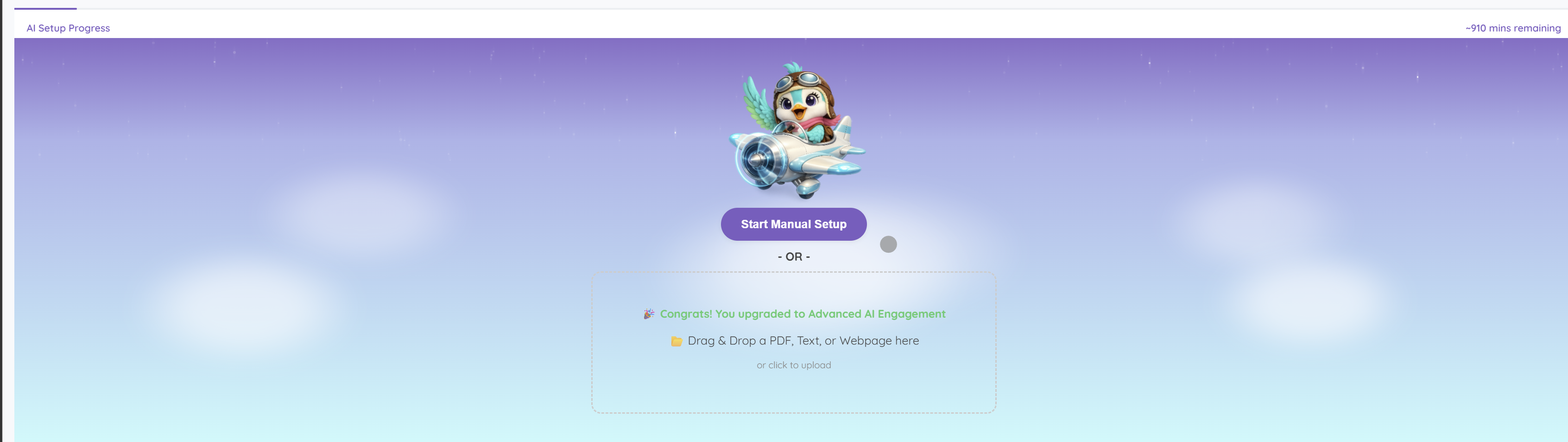
Start from a webpage, PDF or text document, then review the knowledge prepared for your AI front desk.
 View full size
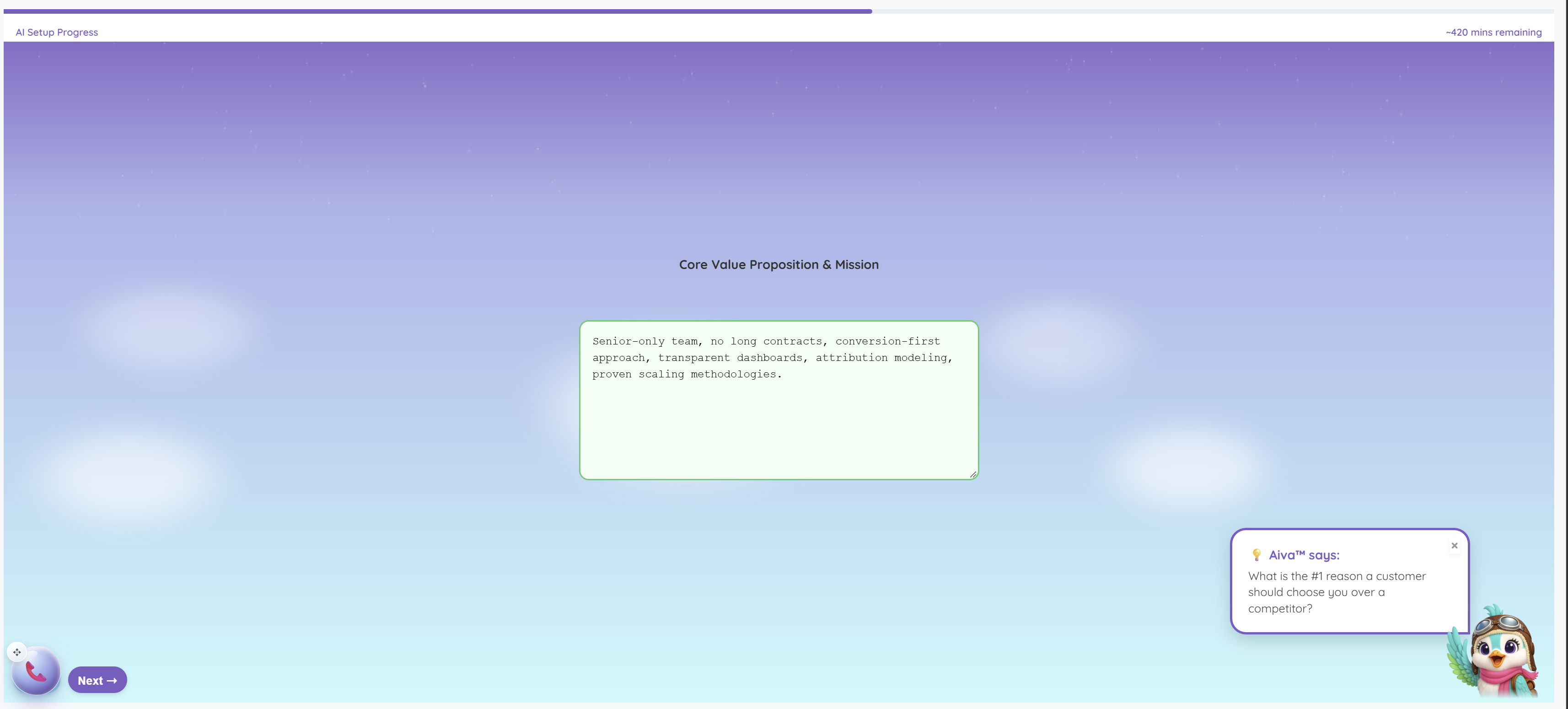
Work through guided questions about the business, with Aiva™ offering prompts to help explain what makes it different.
 View full size
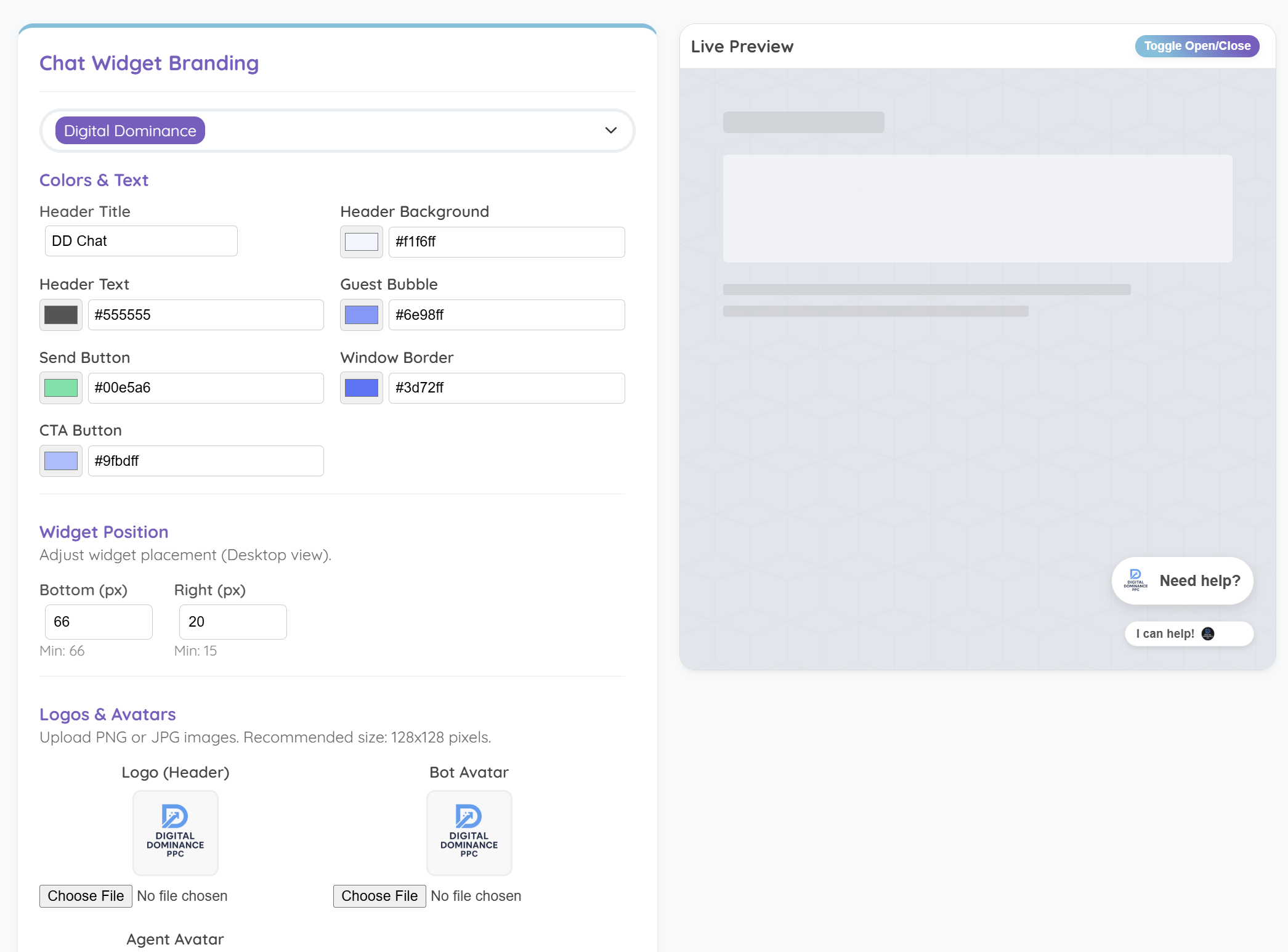
Match the widget to your business with colors, text, logos and placement, then check the live preview.
A clear first flow is a good place to start.
Create your workspace and bring your business know-how.