Aivagenta™ / FleetOps Admin™FleetOps Admin™.
FleetOps Admin™.
More ways to get work done.
Organize the business units, people, channels and presentation behind your contact center from the administration workspace.
Everything in this group
Your capabilities.
- Business units, agent invitations and access settings
- Routing, queues, skills and agent assignments
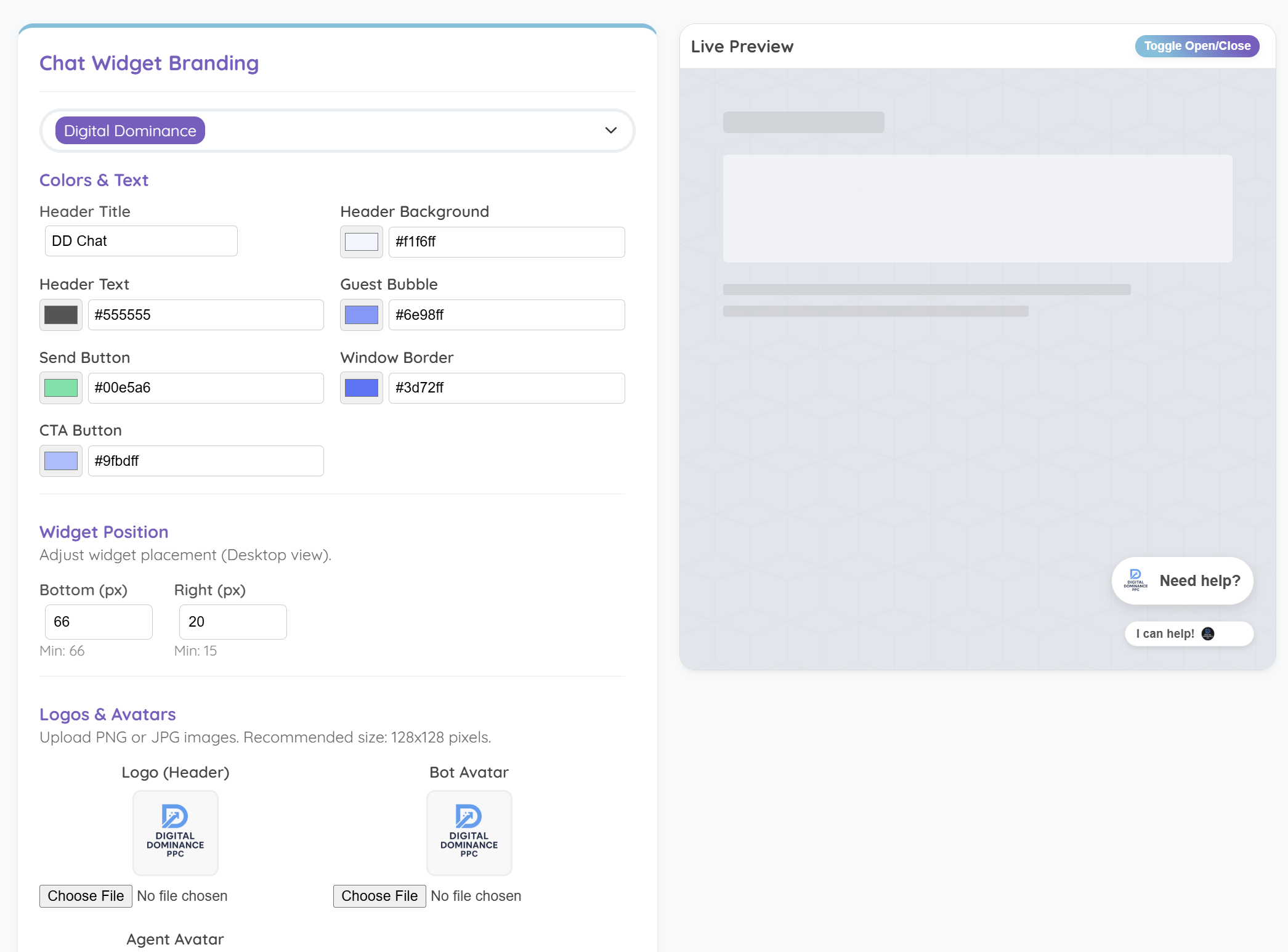
- Chat widget colors, logos, text and placement
- Email setup and channel registration settings
- Promo Pops™ and proactive engagement configuration
- Integration settings, usage credits and installation controls
Inside the platform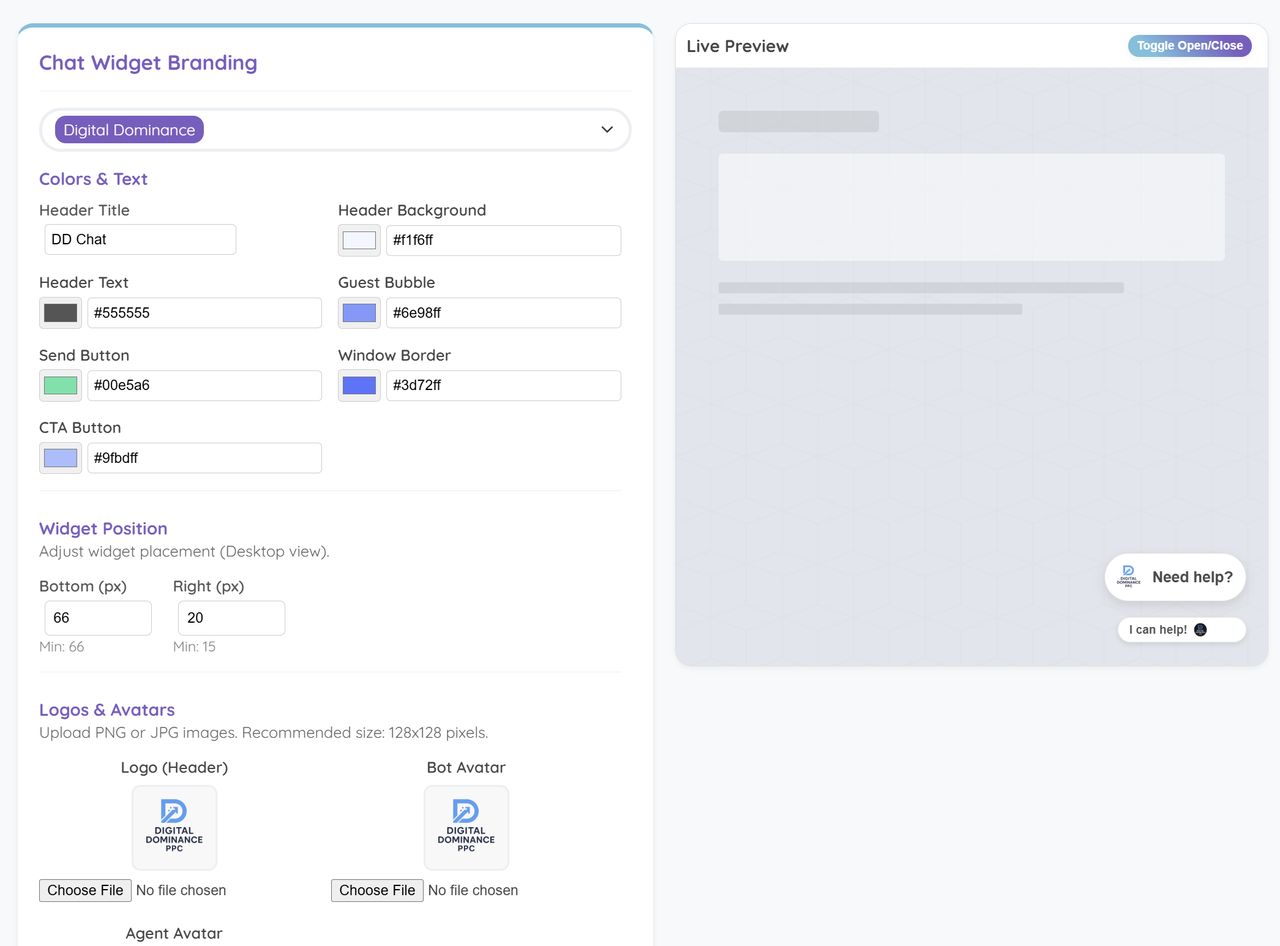 View full size
Make the chat widget your own 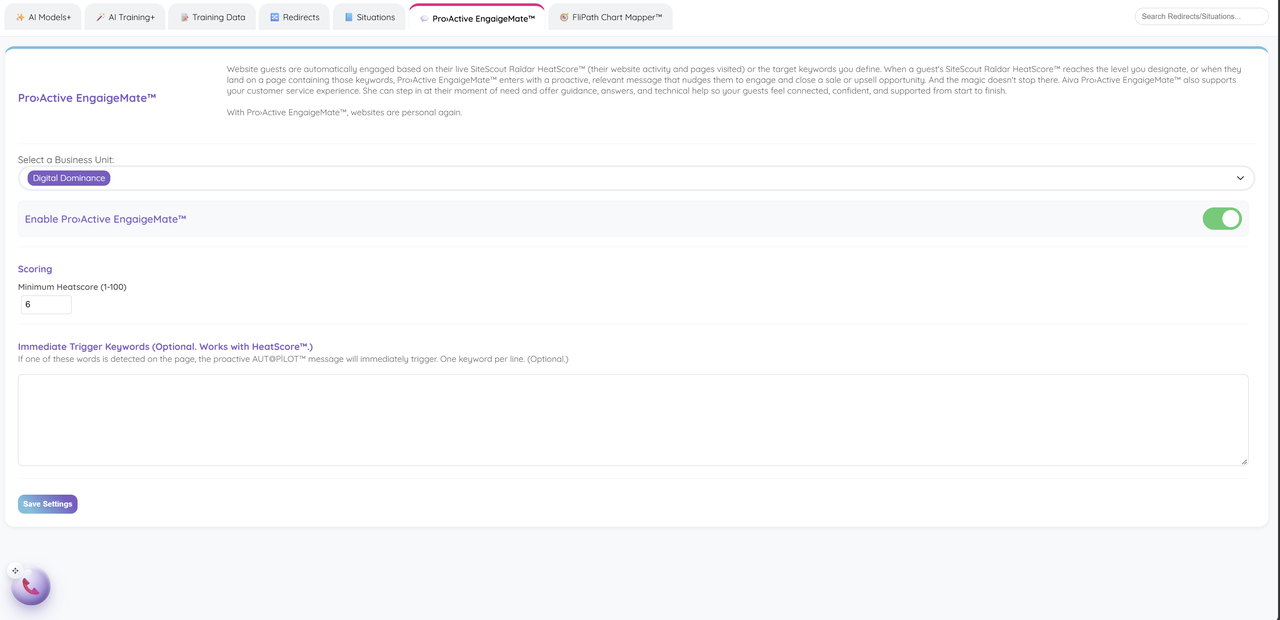 View full size
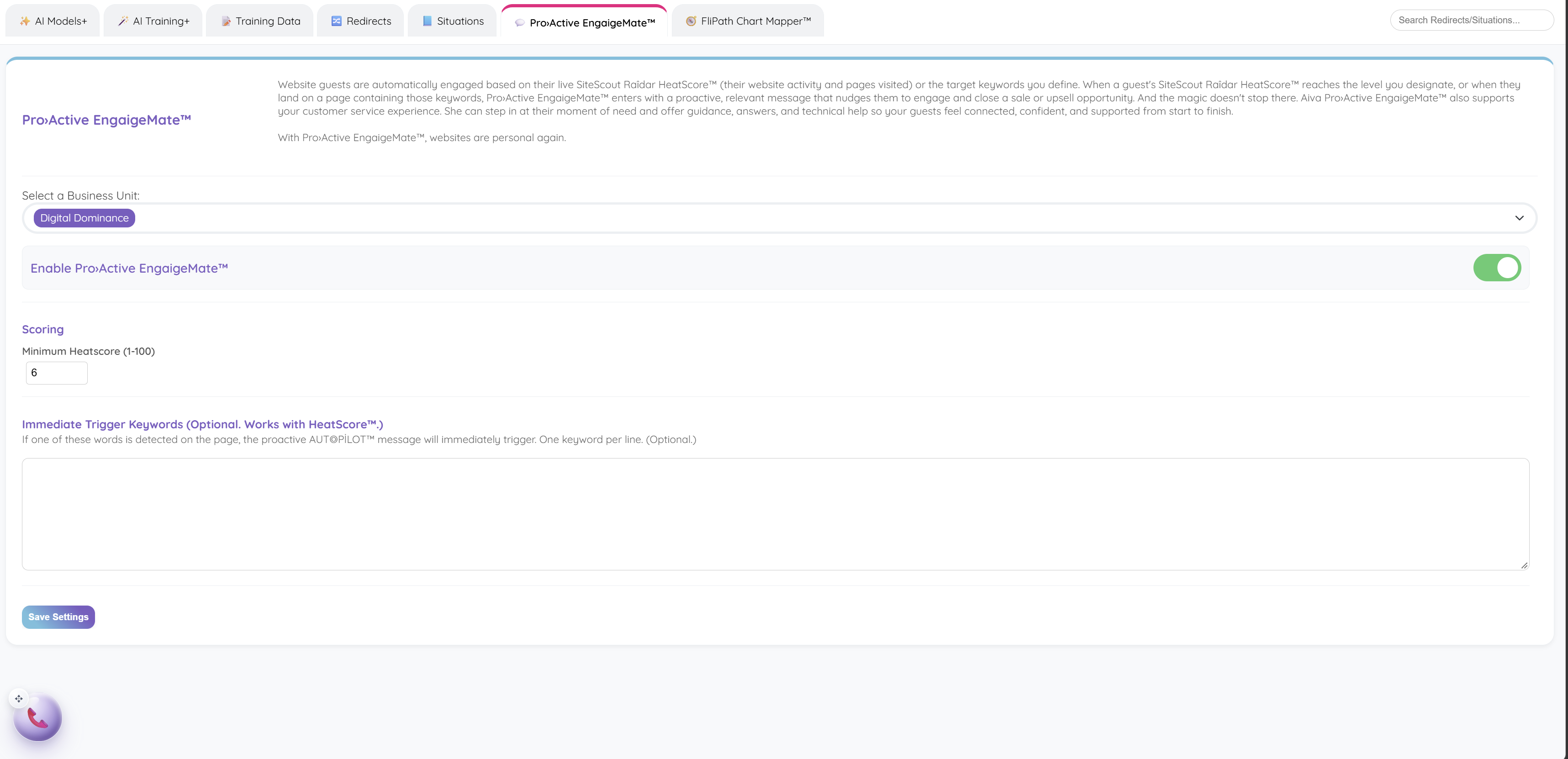
ProActive EngaigeMate™ engagement rules
Make the platform fit your operation.
Real product screens, with examples of how the tools fit your work. Select a screen to explore it at full size.
 View full size
Match the widget to your business with colors, text, logos and placement, then check the live preview.
 View full size
Set the HeatScore™ threshold and page keywords that invite a timely service or sales conversation.
Your next customer is about to get in touch.
Give them a useful first answer. Give yourself a clearer next step.