
FliPath™.
More ways to get work done.
Describe your business. Generate your contact-center flow with one click.
Your capabilities.
- One-click generation of a tailored contact-center flow
- AI agent answers and conversational IVR paths
- Automated routing and human handoffs
- Required questions, confirmation steps and ticket creation
- Escalation paths for work that needs your team
- Visual editing of branches and decisions
- No-code API task generation from the app and outcome you describe
- Automatic task execution and data mapping for configured connections
Describe the task.
Connect the service.
Let the workflow do the work.
Aiva™ generates API task configuration from the app and outcome you describe, then uses configured connections to execute tasks and map data. Add your account credentials and review the generated actions before activation.
The range of possible tasks depends on the APIs your connected services provide and the access your accounts allow.
See the whole journey. Refine each step.
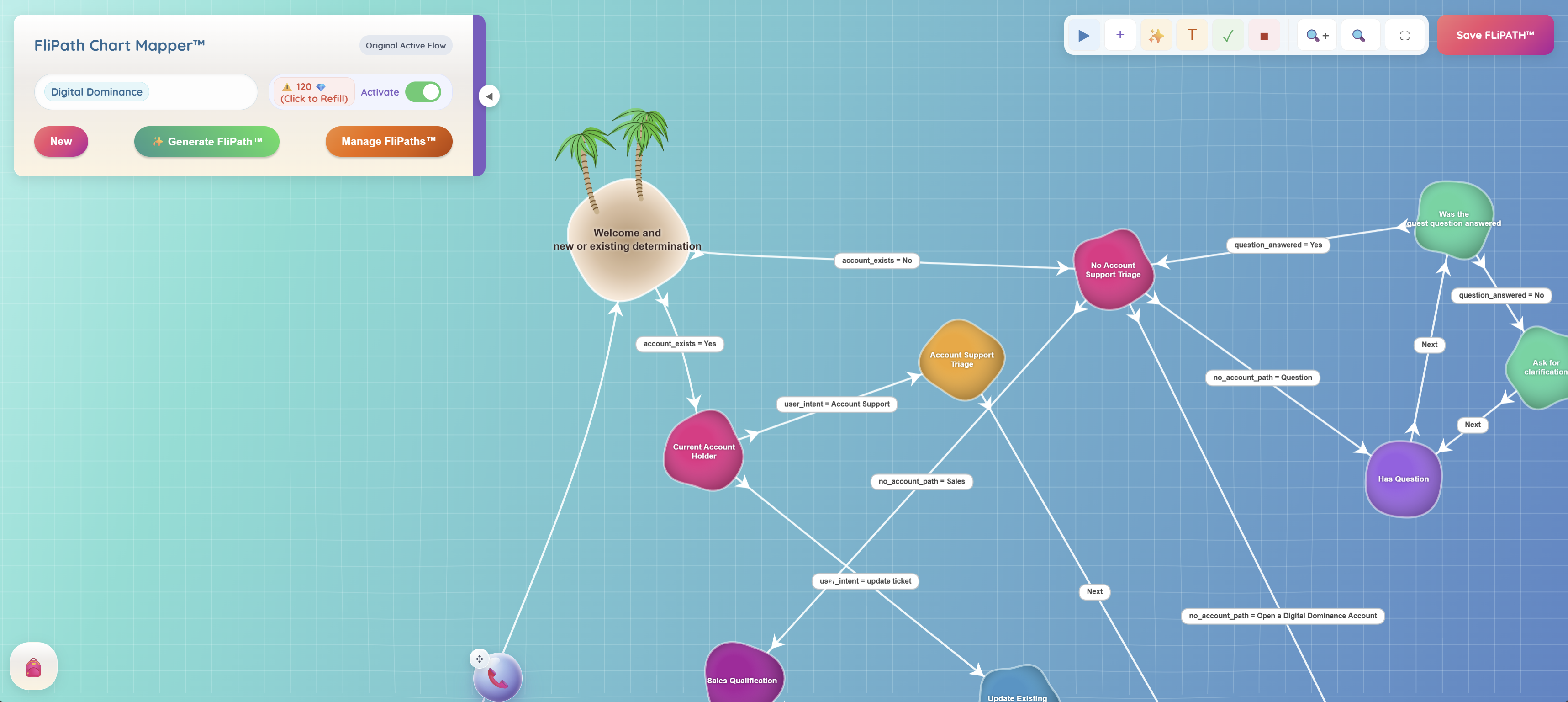
Real product screens, with examples of how the tools fit your work. Select a screen to explore it at full size.
 View full size
See how welcome, sales, support and general questions branch into the next step of the conversation.
 View full size
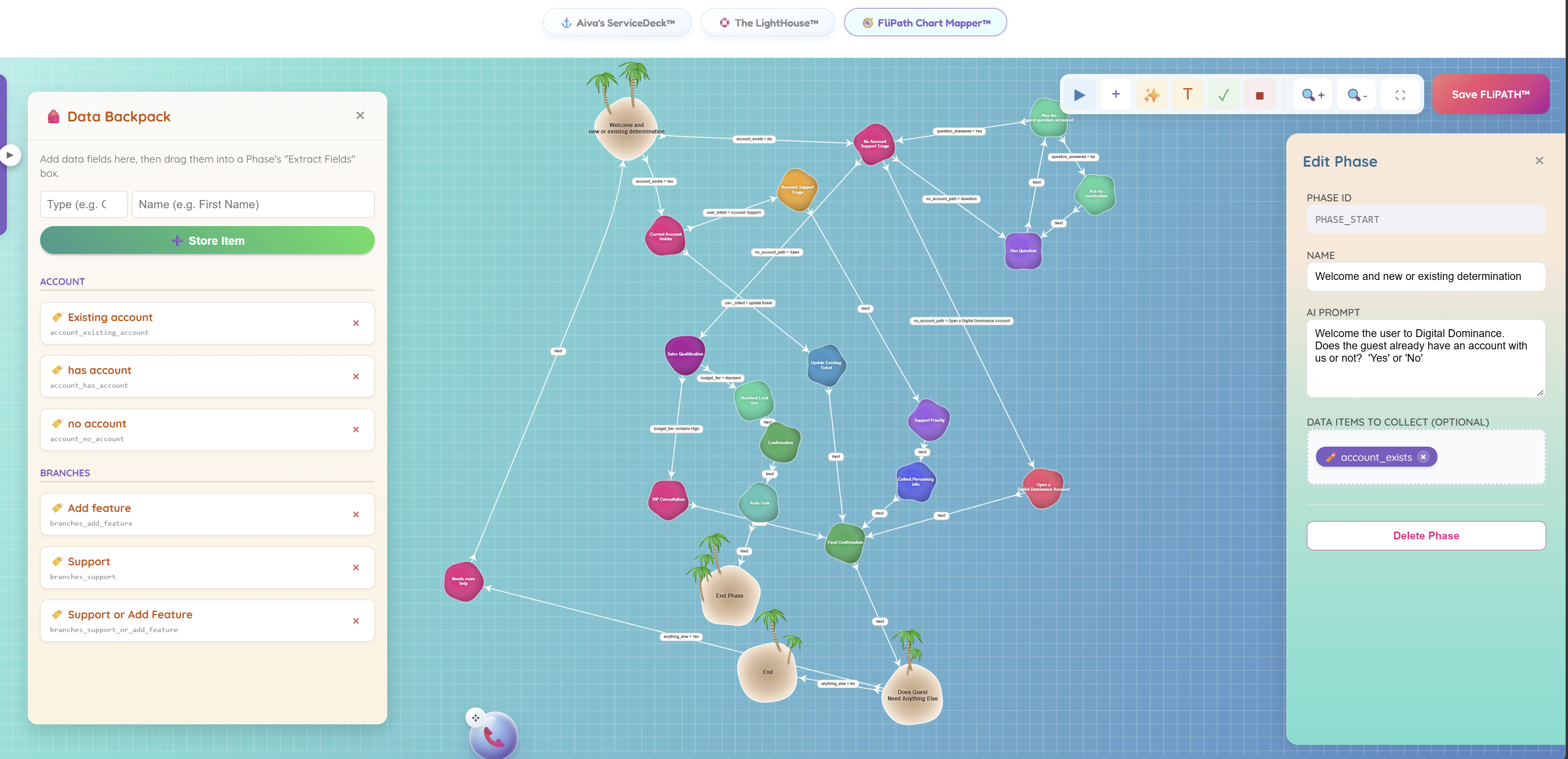
Review the complete route and edit individual phases, prompts and collected fields on the same visual canvas.
 View full size
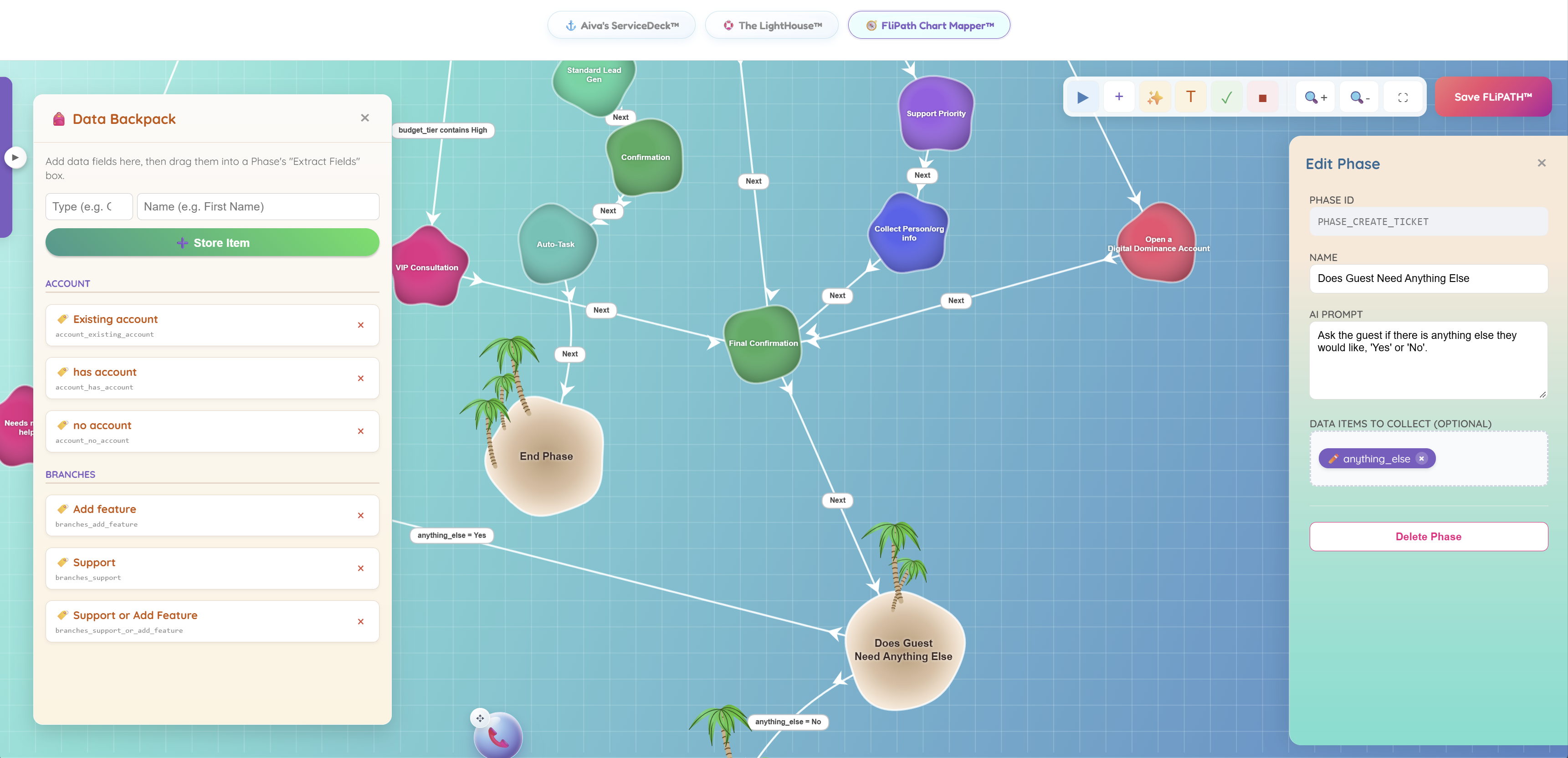
Define the questions and data fields that a workflow phase should collect before work moves on.
 View full size
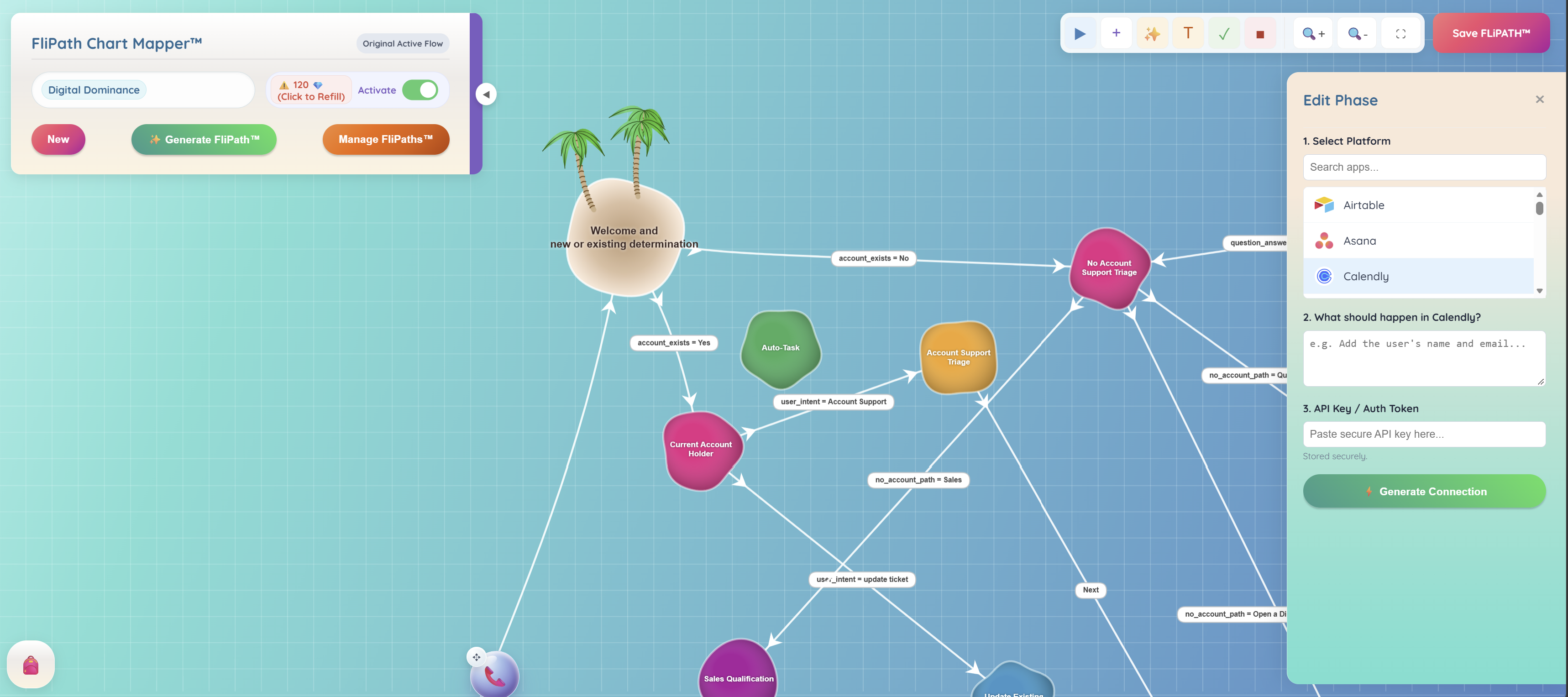
Select a service such as Calendly, describe the desired action and connect your authorized account to generate the API task.
 View full size
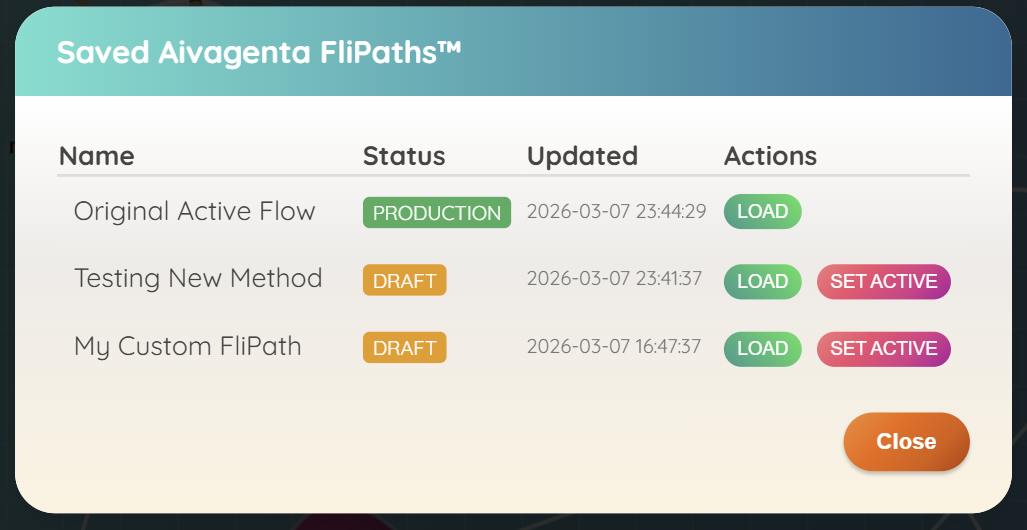
Keep a production flow alongside drafts, load the version you need and choose when to activate a change.
Your next customer is about to get in touch.
Give them a useful first answer. Give yourself a clearer next step.