NaviCom Live™.
More ways to get work done.
Follow the conversation from AI answering to the person who takes it forward. Calls, chat and connected messaging share a live workspace.
Your capabilities.
- Voice, website chat, SMS and WhatsApp sessions
- Live session tables, cards and transcript briefs
- Guest activity, customer profiles and conversation context
- Bot-to-agent takeover, transfers and configured routing
- Browser calling and business caller ID
- Admin views of queues, service levels and team activity
The live workspace, in action.
Real product screens, with examples of how the tools fit your work. Select a screen to explore it at full size.
 View full size
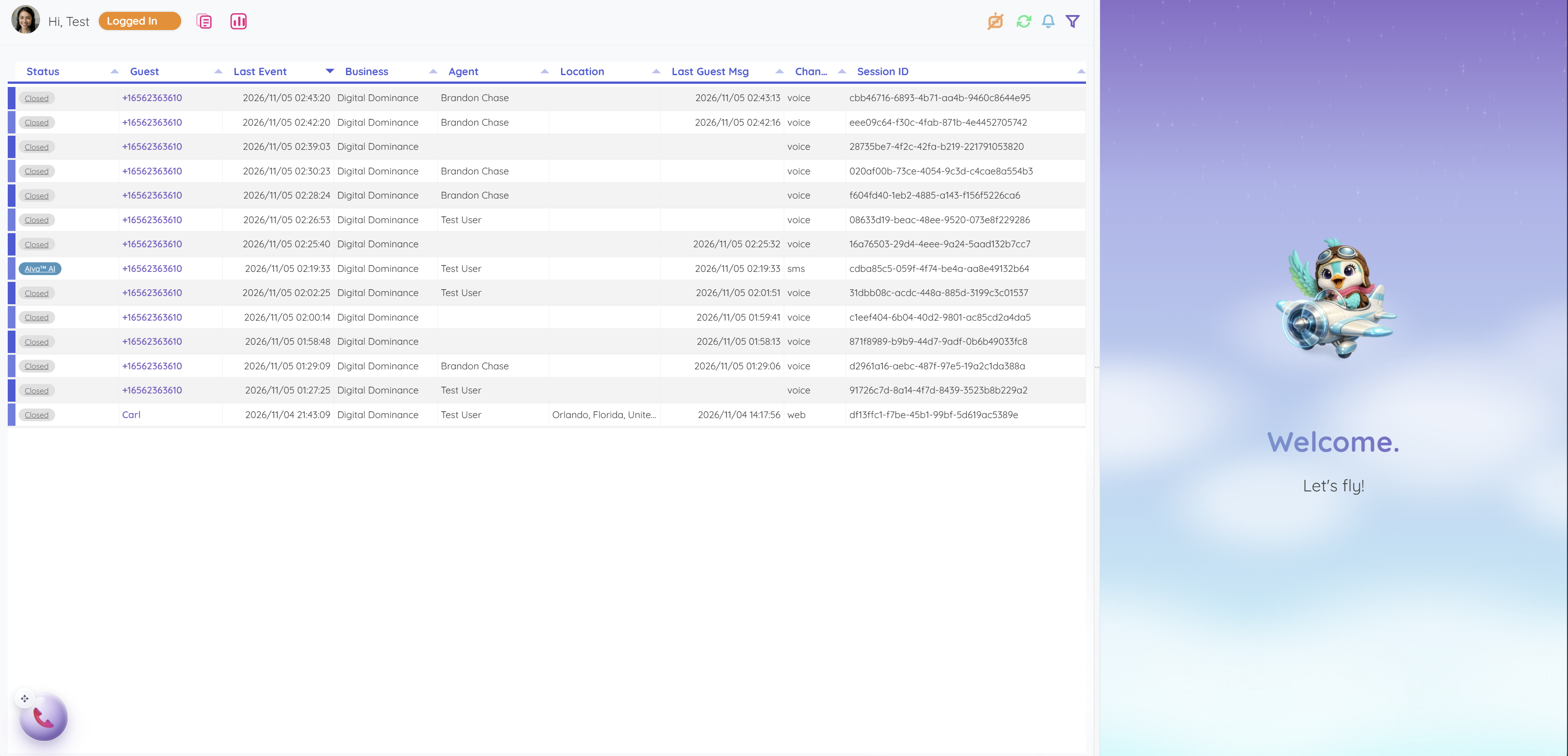
Voice, SMS and website sessions share a view of status, business unit, assigned agent and recent activity.
 View full size
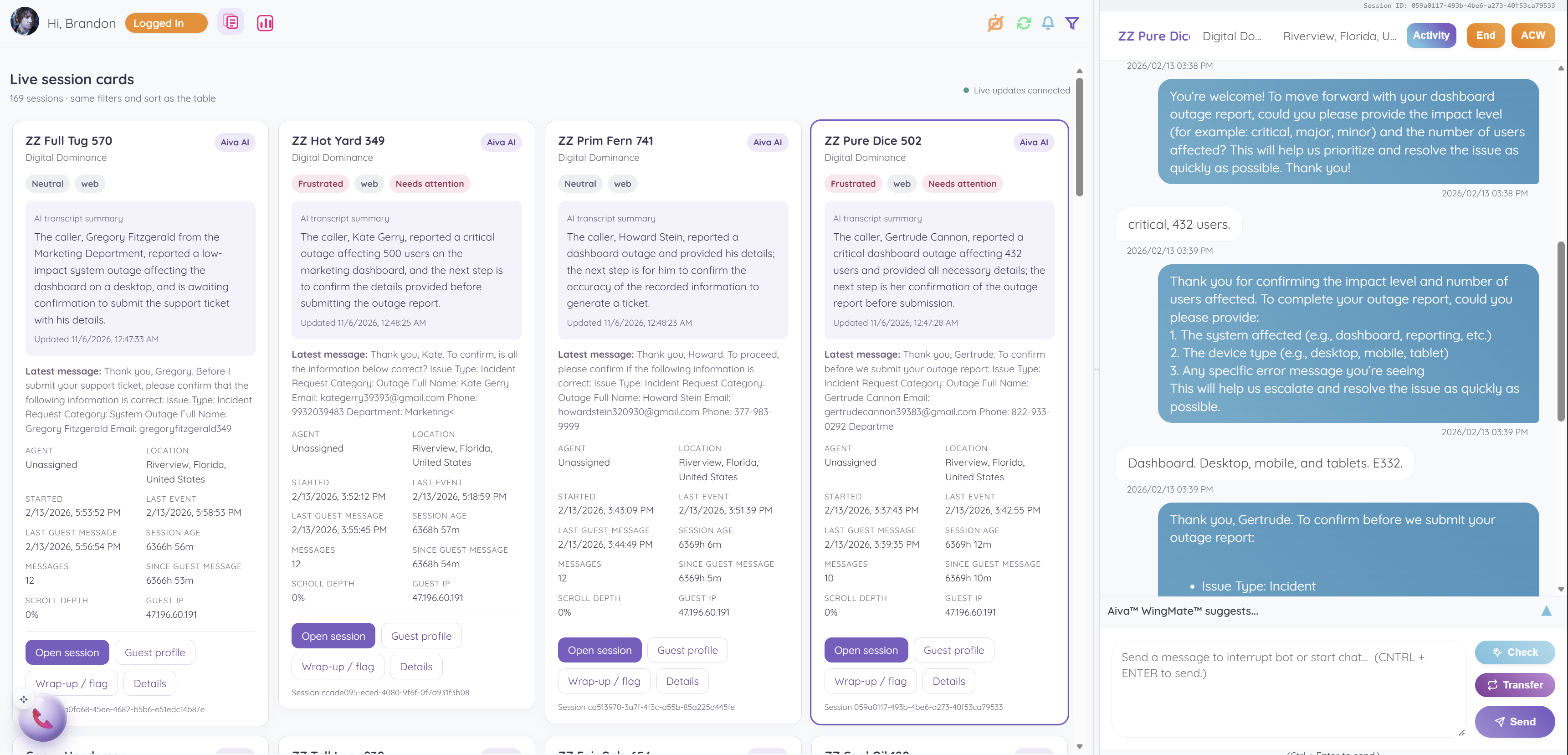
An agent reviews transcript briefs and attention flags, then opens the selected conversation with its context in view.
 View full size
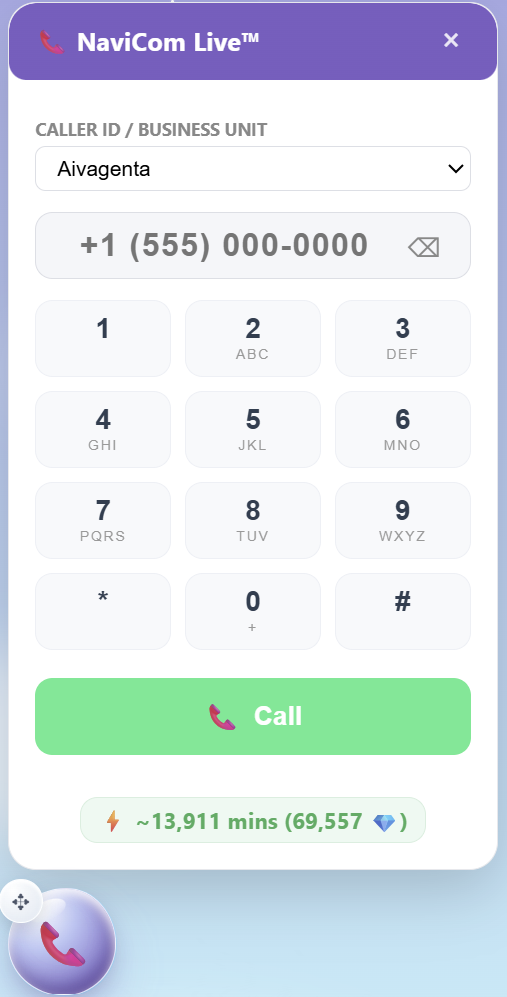
Choose the business caller ID and place an outbound call from the browser dialer.
 View full size
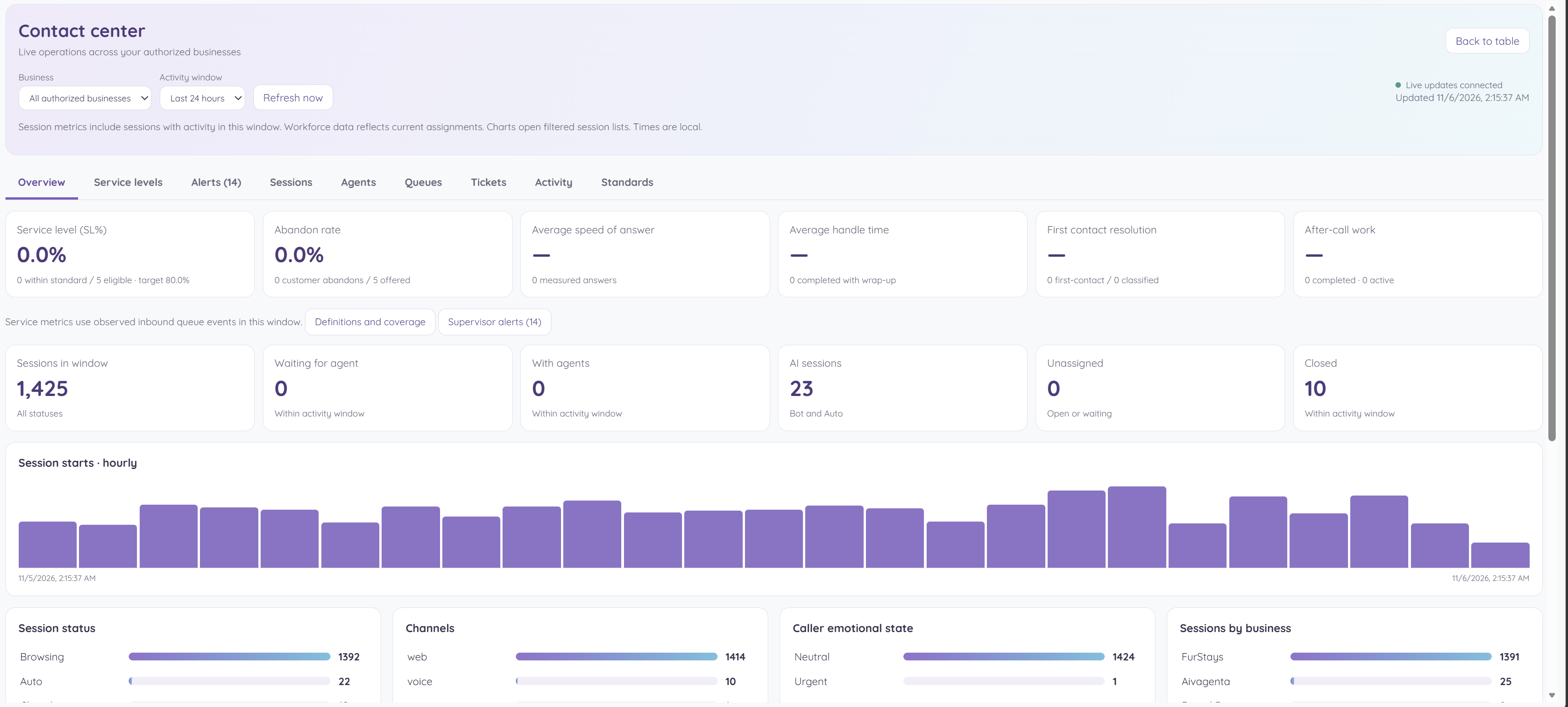
A manager checks service levels, waiting interactions and channel demand before deciding where the team needs help.
Keep the conversation going on WhatsApp.
Connect your approved WhatsApp sender to the shared workspace, so your team can keep messaging close to the customer history and the next action.
Explore connected channels ↗Your next customer is about to get in touch.
Give them a useful first answer. Give yourself a clearer next step.