
OmniLogs™ Reporting
Filter recorded activity, compare business units and export operational reports.

See what happened across sessions, tickets, agents and business units. Use AI analysis to investigate the patterns behind the numbers.
Filter recorded activity, compare business units and export operational reports.

Investigate topics, sentiment, handoffs, customer friction and coaching opportunities.
Real product screens, with examples of how the tools fit your work. Select a screen to explore it at full size.
 View full size
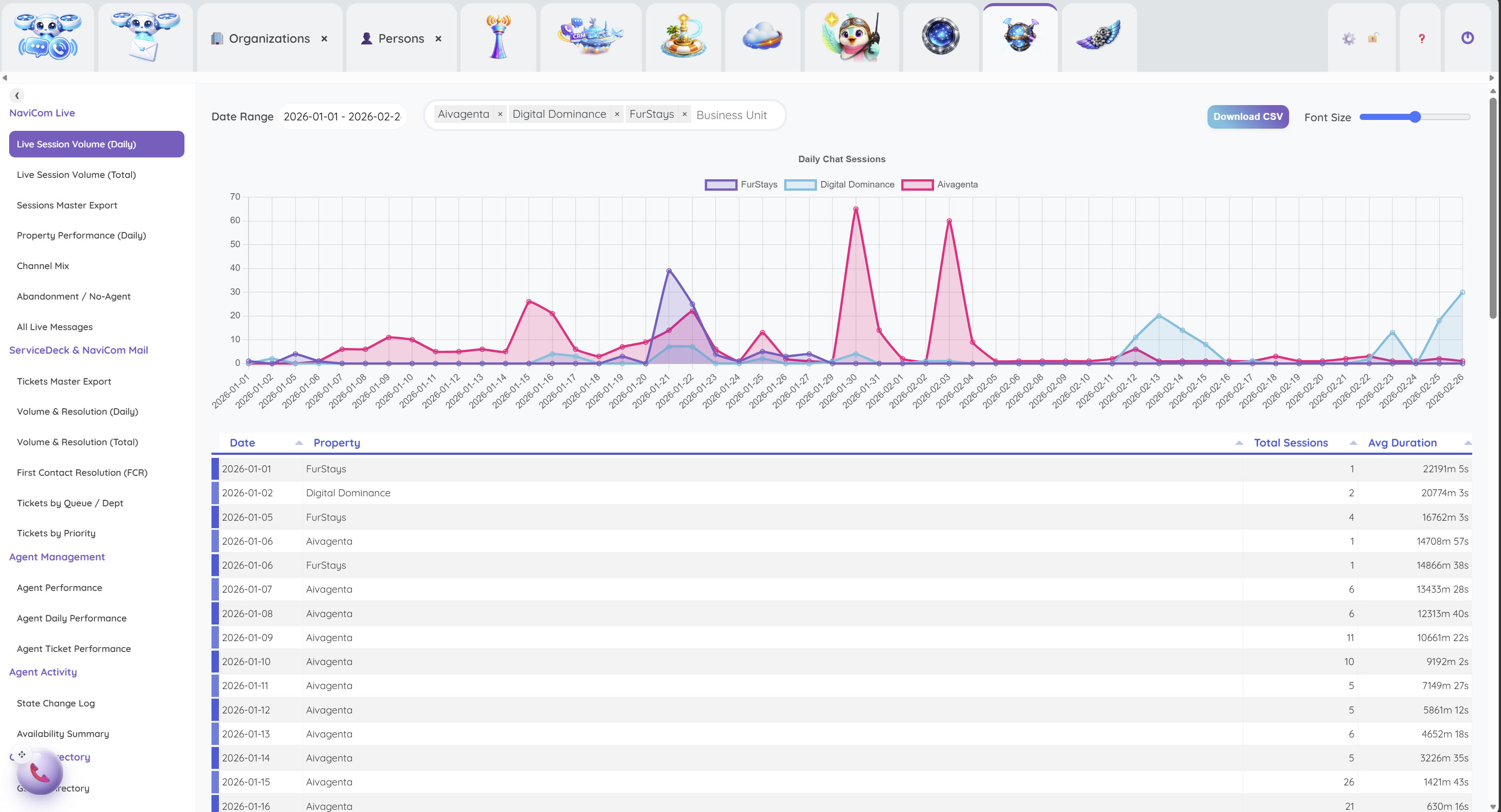
Compare session volume across business units and dates, then export the recorded activity to CSV.
 View full size
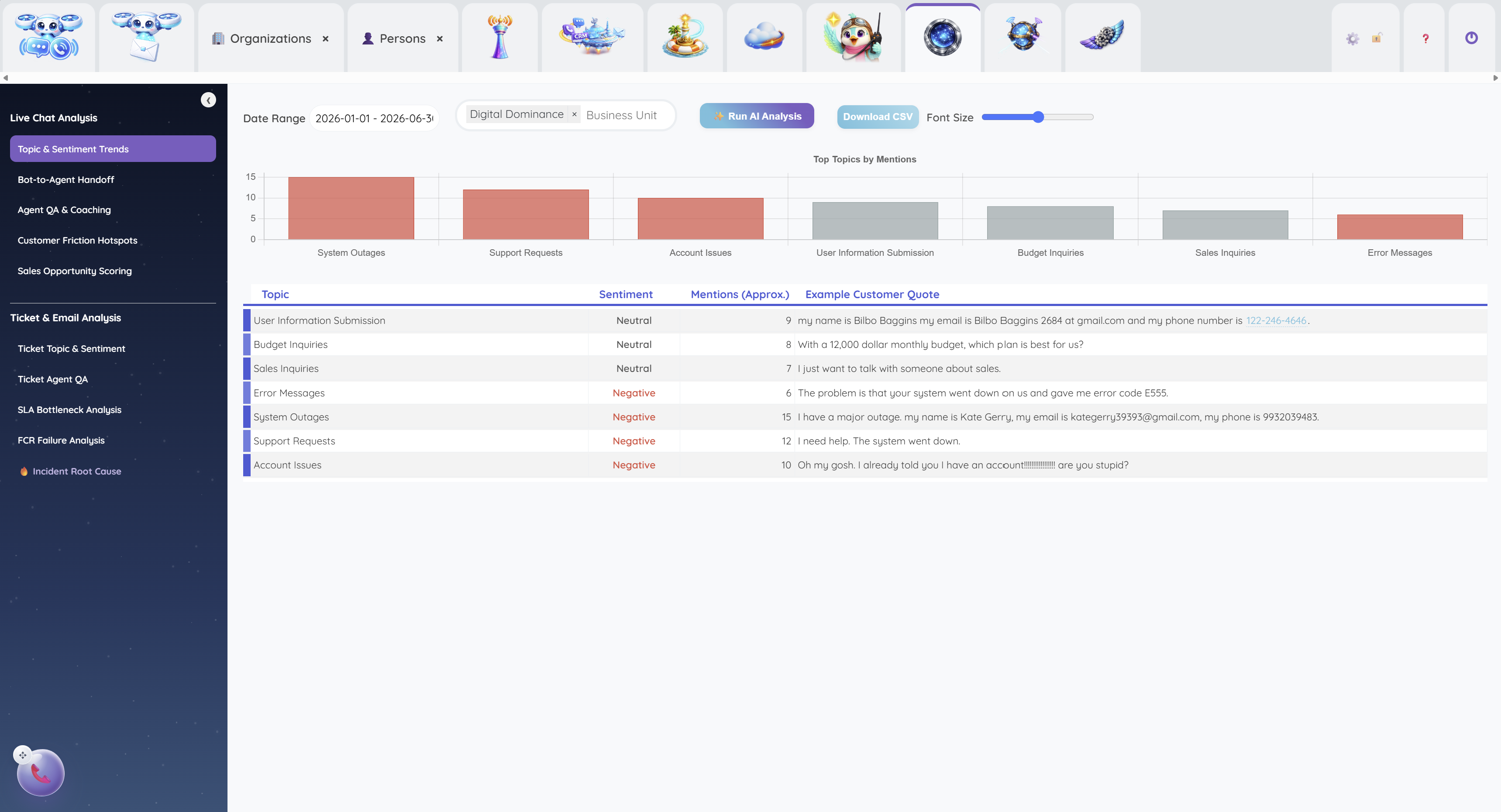
Review recurring topics and sentiment alongside customer quotes to investigate friction and coaching opportunities.
Give them a useful first answer. Give yourself a clearer next step.